
 EP 1 FREEEp 1 1:22
Candy AI Shorts
Kiss My Enemy
6 episodes / Ep 1 free without an account, ep 2 with a free one / then 12 tokens
Play episode 1UnofficialWatch AI Shorts is an independent guide, not run by Candy AI, OurDream (Dreamy Shorts), Secret Labs (Secrets Shorts) or GoLove AI. Buttons that open a platform are affiliate links and may earn us a commission at no cost to you. For adults 18+ only. About this guide
UnofficialIndependent guide, not run by the four platforms. Affiliate links. Adults 18+. About this guide
With a phone in hand you can reach episode 1 in under a minute of any series on the four platforms. You need a browser and nothing else: no app turned up in the App Store, and the table above shows who allows a home screen icon.
Updated November 23, 2026
| Platform | Phone browser | Home screen icon | Episode 1 |
|---|---|---|---|
| Candy AI Shorts | Yes | Yes (web app manifest) | No account |
| Dreamy Shorts | Yes | Browser bookmark only (no web app manifest seen) | No account |
| Secrets Shorts | Yes | Yes (web app manifest) | No account |
| GoLove Shorts | Yes | Yes (web app manifest) | No account |
On November 23, 2026 we searched Apple's App Store by name for Candy AI, OurDream (the company behind Dreamy Shorts), Secret Labs (Secrets Shorts) and GoLove AI. None of the four had an official app there. We say nothing about other stores, because we did not check them.
That is why this page talks about browsers. All four platforms answered a phone browser on the same day, with a normal page and not an error. If a listing promises an official app for any of them, treat it with suspicion, and keep to the buttons on this site, which open the real platform page.
One point of order: this site never hosts the video. The button here leads to the platform's own series page, and you tap play there.
The route is the same on all four platforms:
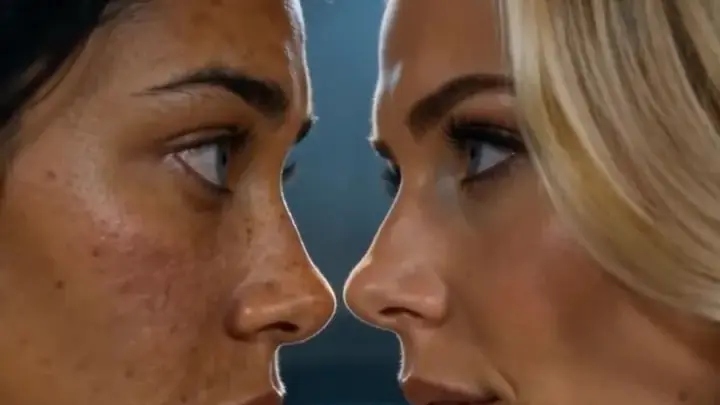
A good test run is Kiss My Enemy, with an episode 1 of 1:22. The other hubs are Secrets Shorts and GoLove Shorts; on that last one, the platform first shows a gate where you confirm you are over 18. For all four routes side by side, see how to watch AI shorts.
A home screen icon is a browser feature, not an official app. It opens the platform in your browser, but it sits among your icons and saves you from searching.
Candy AI, Secrets Shorts and GoLove AI each publish a web app manifest, which we checked on November 23, 2026. That means the option exists on all three. In Safari, open the share menu and choose Add to Home Screen. In Chrome, open the menu and pick whichever of the two wordings it shows: Install app, or Add to home screen.
Dreamy Shorts is the exception. We saw no web app manifest, so the browser has nothing to turn into an icon. Use a bookmark: save the series page or the shorts page, and open it from your bookmarks. It is one more tap than an icon and gets you to the same place.
Whichever way you go, the first sign-in on the platform still happens inside the browser, so the icon changes the route to the page, not what the page asks of you.
Every episode on the four platforms is vertical, which is why a phone held upright suits them. There is no need to turn the phone sideways; doing so just shrinks the picture inside a wide frame.
For sound, the platforms differ in what we can say. Secrets Shorts help pages describe pause, seek, sound, full screen, a quality menu and subtitles, where you pick a language or Off and the choice is remembered on that device. GoLove Shorts episodes carry subtitles in nine languages, English among them. Dreamy Shorts episodes have caption files. About subtitles on Candy AI Shorts, we have no fact to report.
If you share a room, check the sound before you press play, since an episode starts as soon as you tap it. Our page on sound, subtitles and full screen goes through the controls, and if the phone is not your only screen, see watching on a computer.
Before episode 2: Candy AI Shorts, Dreamy Shorts and Secrets Shorts each ask for a free account, and none of them asks for a card at that stage. On Dreamy Shorts, as of November 13, 2026, registration takes Google or e-mail. GoLove Shorts is the exception, with no sign-in for its first two episodes.
Past episode 2, money appears, and on a phone it appears in the browser like anything else: 12 tokens per episode on Candy AI Shorts, 500 Moments per episode on Secrets Shorts, Premium on Dreamy Shorts and Pro on GoLove Shorts. Prices can change; each platform shows its live figure before you pay.
A tip for a smoother evening: create the free account once, from the same phone you use for watching, so the next series opens at episode 2 without another round of questions. Then decide, episode by episode, whether a series earns your money.
EP 1 FREEEp 1 1:226 episodes / Ep 1 free without an account, ep 2 with a free one / then 12 tokens
Play episode 1 EP 1 FREEEp 1 1:00
6 episodes / Ep 1 free without an account, ep 2 with a free one / then Premium
Play episode 1 EP 1 FREEEp 1 1:42
5 episodes / Ep 1 free without an account, ep 2 with a free one / then 500 Moments
Play episode 1 EP 1 FREEEp 1 1:26
5 episodes / Episodes 1-2 free, no account / then Pro
Play episode 1Apple's App Store showed no official app from Candy AI, OurDream, Secret Labs or GoLove AI when we searched on November 23, 2026. All four play in a phone browser.
Safari or Chrome. Both opened the four platforms, and both can add a home screen icon on the three platforms that publish a web app manifest.
We saw no web app manifest on Dreamy Shorts, so there is no icon to install. Bookmark the series page instead.
No. Episode 1 plays without one on all four platforms. Three of them want a free account for episode 2, while GoLove Shorts wants none.
Leaving before episode 1?
Episode 1 of Kiss My Enemy plays free on Candy AI Shorts with no account, in the browser of your phone or computer.
Watch episode 1 now